
Service Fusion alternative
Adding a technician, dispatcher, or manager can change what you need from your software. If you are evaluating a Service Fusion alternative, establish how access and functionality are priced before deciding which configuration offers suitable value.
Plans from $89 USD per month. Unlimited technicians on every plan. No contract required.
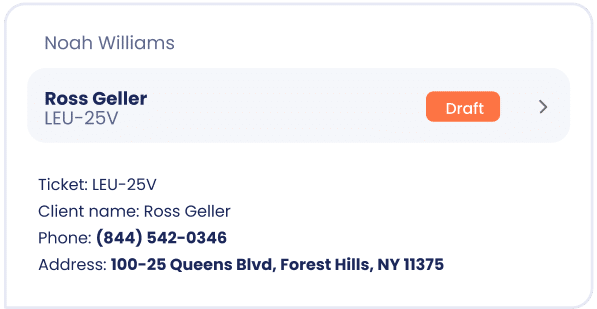
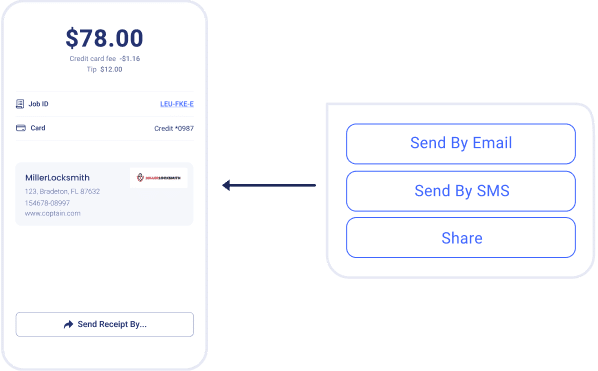
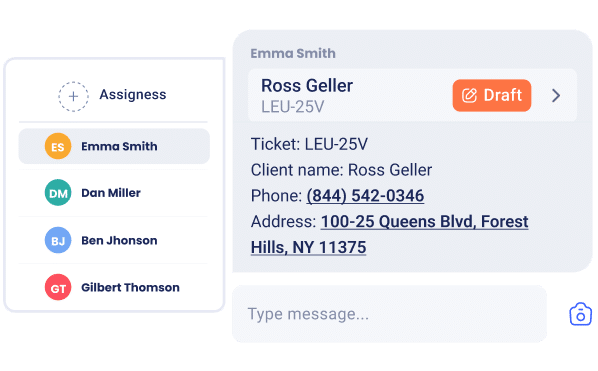
Dispatching
Send jobs by SMS, email, call or push notification. Technicians confirm receipt.
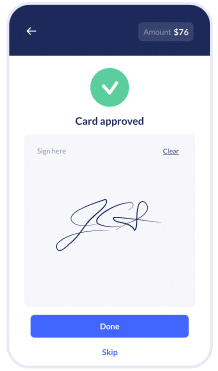
Card payments
Take payment with a card reader, in the app or through a payment link.
Ask what access means in the proposed Uleadz configuration
Uleadz’s pricing page distinguishes account users from technicians and describes technician collaboration separately. Ask for a written configuration covering each person who needs access. Review Uleadz pricing.
Provide a role list: owner, office staff, field technicians, and external collaborators where relevant. Ask what each role can see and do, what access is included, and what would change if the team grows. Use that answer as the basis of your comparison rather than assuming the same access model in both products.
Build a complete cost comparison
Record the following for each proposed configuration:
- The subscription and billing commitment.
- The functionality included in that plan.
- Additional access, services, or usage charges that apply.
- Required implementation, training, or migration work.
- Payment-processing or other transaction charges, if you will use those services.
Separate recurring costs from one-time costs. Identify any promotional term and what happens afterward. If a figure is unavailable, mark it as requiring a quote instead of filling the gap with a competitor’s estimate.
This is a comparison method, not a claim that Uleadz has a lower total cost. Your result depends on the confirmed configuration and how your business uses it.
Tie each cost to a required task
Take the tools your staff actually use and connect them to the subscription line that provides them. If job costing or inventory is essential, include that requirement explicitly. Do the same for customer portals, recurring invoices, accounting connections, and custom documents.
For the daily-work portion of a Uleadz evaluation, its mobile-app documentation describes access to personal schedules, call histories, and timesheets, along with reviewing daily jobs. Ask field staff to evaluate that experience using their own responsibilities. See Uleadz’s mobile workflow.
Confirm specialized requirements separately. A mobile app and a broad reporting description do not establish every capability your company may require.
Compare growth scenarios without assuming an outcome
Prepare a current-team scenario and a plausible future-team scenario. Keep the required features constant in the first comparison so you can see the effect of team access. In a second comparison, add any new functions the future operation would need.
Ask both providers to confirm the resulting configurations. This avoids treating a change in features as though it were simply a charge for another person. It also makes it easier to explain the decision internally.
Should I remove functionality to match a lower price?
Only if your team can operate acceptably without it. Keep essential requirements visible so an apparently lower subscription does not conceal additional manual work or another required tool.
Plans and pricing
Every plan lists unlimited technicians, and no contract is required. Annual billing is also available. Plans differ in office users, SMS, calling minutes and phone lines.
Request a Uleadz configuration review. Bring your role list and required functions so the team can discuss the access and plan details relevant to your business. Contact Uleadz.
Sources and comparison date
Product information reviewed 2 November 2026: Uleadz pricing, and Uleadz mobile app. Published by Uleadz. Obtain current written terms; no universal savings or access-equivalence claim is made.