
Field service software comparison
The most useful field service management software comparison starts with your company’s requirements. A sole operator, a team with a busy dispatch office, and a contractor with specialized accounting or asset obligations may need different configurations.
Plans from $89 USD per month. Unlimited technicians on every plan. No contract required.
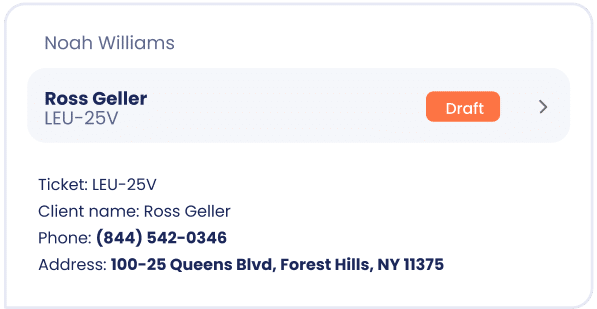
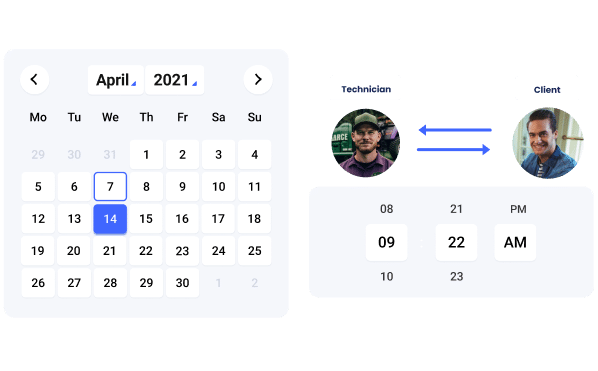
Job scheduling
Book future jobs and send automated reminders to reduce no-shows.
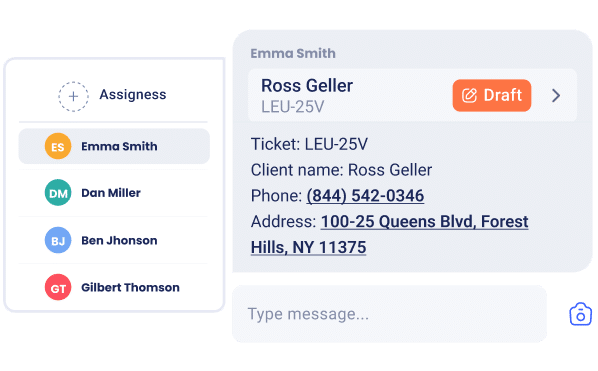
Dispatching
Send jobs by SMS, email, call or push notification. Technicians confirm receipt.
Use the framework below to build a shortlist, compare evidence, and identify which providers deserve a deeper evaluation. This is a comparison published by Uleadz, not an independent ranking or a claim that one product is best for every business.
Choose the criteria before choosing the software
Describe the work your team must complete. Include job intake, assignment, access to field information, estimates, customer paperwork, and the reports your office requires. Add dependencies such as accounting, inventory, service agreements, or specialized maintenance records when they are essential.
Next, identify who needs access and what each role must do. Separate users, technicians, and external collaborators according to the definitions each provider uses. Finally, identify volume or usage assumptions that can affect the configuration.
These criteria give you a consistent way to compare products without counting unrelated features or treating a promotional starting price as your expected total cost.
Use evidence labels in your comparison
For each essential requirement, record whether it is documented, demonstrated in your evaluation, requires confirmation, or does not meet your need. Name the plan and preserve the relevant quote or source.
An unknown is not proof that a feature is absent. Equally, a broad marketing description is not proof that a particular workflow is supported. The distinction matters when a purchasing decision depends on an accounting connection, a specialized report, or an automation with exceptions.
Ask the employee responsible for each process to review the evidence. Someone who only schedules jobs may not be able to verify accounting requirements, and an owner may miss field-access issues that technicians will encounter.
Examine Uleadz within the same framework
Uleadz documents job coordination and customer paperwork. Evaluate those capabilities using your required tasks, then keep any specialized requirements on separate lines. Review the relevant product functions instead of assuming that all platforms in the category offer identical versions of them.
In the demonstration, use one fictional service job and a realistic change to its instructions. Include the office and the field role. Record what works, what requires setup or training, and what remains unresolved.
Compare commercial terms after confirming fit
Request a complete configuration from each finalist. Include billing commitment, access, essential features, applicable usage charges, implementation, and transition requirements. Separate introductory offers from ongoing terms and one-time costs from recurring costs.
Use current written information for the market in which you operate. Quote-based products should remain quote-based in your cost model until the provider supplies the relevant figures.
Move from shortlist to a purchasing decision
Choose finalists that satisfy the requirements you cannot compromise. Give each provider the same evaluation tasks and involve the people who will operate the system. Resolve critical unknowns before planning a migration or changing live work.
Does a comparison table replace a demonstration?
No. It helps organize the shortlist. The next step is to demonstrate your specific workflow and confirm the commercial configuration.
Should every business choose the lowest subscription?
Choose a configuration that meets essential requirements on acceptable terms. Missing functionality, an unresolved dependency, or transition work can affect the decision even when the advertised subscription appears lower.
Plans and pricing
Every plan lists unlimited technicians, and no contract is required. Annual billing is also available. Plans differ in office users, SMS, calling minutes and phone lines.
Bring your shortlist requirements to Uleadz. Share the tasks your office and field team need to complete, and ask for a focused evaluation of those requirements. Request a Uleadz demo.
Sources and comparison date
Official provider pages linked above were reviewed 2 November 2026. Uleadz capability references: features, job management, estimates, and invoicing. Published by Uleadz. The questions and evaluation framework are editorial guidance; plan terms and functionality require provider confirmation.