
Workiz alternative
When a service job changes, your software needs to help the office and technician stay aligned. An assignment may have been sent, but was it received? A customer may have clarified the work, but can the next person find that information?
Plans from $89 USD per month. Unlimited technicians on every plan. No contract required.
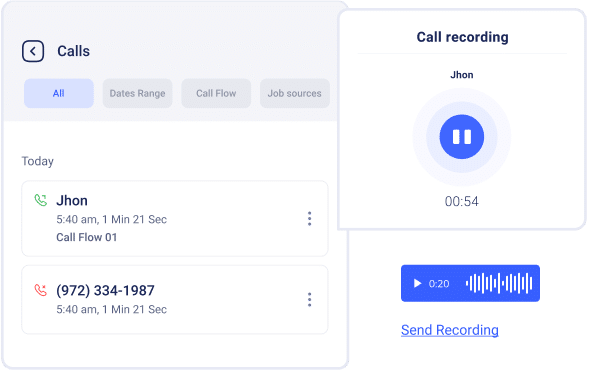
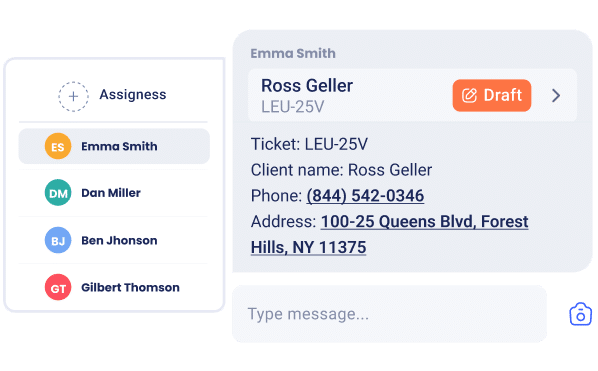
Dispatching
Send jobs by SMS, email, call or push notification. Technicians confirm receipt.
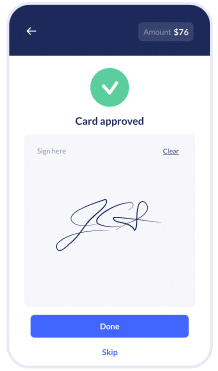
Card payments
Take payment with a card reader, in the app or through a payment link.
If these questions are behind your search for a Workiz alternative, make exception handling the center of your evaluation. Uleadz is a platform to consider for coordinating the job and the communication surrounding it.
Follow the job through an exception
Begin with an assignment your team recognizes. Then change one important detail: the service requested, the person assigned, or the instruction needed to access the property. Ask the dispatcher to make the change while the technician explains what is visible in the field.
Watch for the moments when someone has to guess. Is the assignment merely sent, or is receipt acknowledged? Can an office employee establish which instructions the technician is using? If a follow-up call is necessary, record that step rather than hiding it in the demonstration.
Uleadz documents technician acknowledgment of an assignment with an automatic job-status update. That is a specific behavior your dispatcher can test. Review the dispatch workflow.
Check the job record, not just the inbox
Messages are useful only when the person handling the job can understand their context. A general inbox and a job-specific record solve different problems.
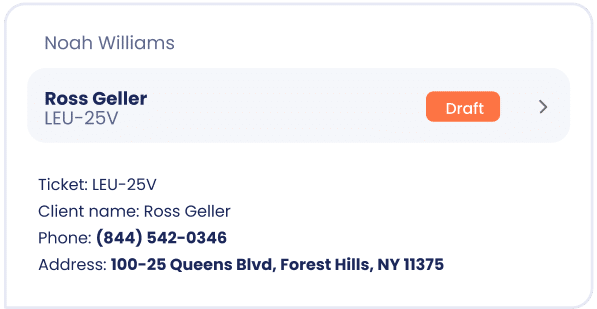
Uleadz’s job-management documentation describes relevant SMS messages, notes, payment methods, revenue splits, and tags associated with jobs. For this evaluation, focus on how the record supports continuity when another staff member takes over. See Uleadz job management.
Prepare two fictional jobs for the same customer. Ask your team to locate the right information without relying on someone else’s memory. Separately confirm the scope of communication history, access, and notification settings you need. Do not infer automatic logging of every communication channel from a description of SMS support.
Compare the automation you actually require
Write each required automation as a trigger and an expected result. For example, identify which business event should prompt an action, who should receive it, and how your team would know that it happened. Ask for a demonstration of that specific sequence in the proposed configuration.
This makes the comparison more useful than counting automations.
Give each exception an owner
For your evaluation, assign responsibility for three situations: an acknowledgment does not arrive, information changes after dispatch, and a job needs another person’s attention. Ask both the office and field staff to describe what they would do next.
The goal is an operating process your team can explain. Some steps may remain manual. What matters is that the proposed workflow is understood, acceptable, and included in the configuration you are considering.
Before choosing a Workiz alternative
Compare a written quote with the workflow evidence from your demonstration. Confirm the users, communication allowances, required automation, support, and transition scope. A quoted bundle and its limitations are more informative than an old price copied from another comparison website.
Does this page compare answering services?
The focus is field service execution: assigning work, keeping context with the job, and handling changes. Evaluate any answering-service requirement separately from the FSM workflow.
Can I replace a required Workiz automation with Uleadz?
Have the exact trigger, action, and exceptions demonstrated before you rely on it. This comparison does not establish automation parity between the platforms.
Plans and pricing
Every plan lists unlimited technicians, and no contract is required. Annual billing is also available. Plans differ in office users, SMS, calling minutes and phone lines.
Walk through a dispatch scenario with Uleadz. Bring one normal assignment and one exception that causes problems for your team today. Request a workflow demo.
Sources and comparison date
Product information reviewed 2 November 2026: Uleadz dispatching, and Uleadz job management. Published by Uleadz. Confirm current configuration, quote, allowances, and automation scope with each provider.